
Dota 2 Report Tracker: See Who Hit Report by Match ID
First, the quick official way. Valve actually shows part of this inside Steam — the Incoming Match Player Reports page (your Dota 2 personal game data). It lists how many reports you got over roughly your last 15 matches and which categories — communication and behavior. What it won't tell you: who pressed Report, or why, in a specific game. For that, keep reading — that's what the replay breakdown below is for.
Open your reports in Steam → you'll need to be signed in to Steam in your browser
Behavior score tanked and you have no clue why. Valve never sends you a "player X reported you" popup, so it feels like a dead end. It isn't. Part of the picture sits right inside the match replay: you can see who pressed the Report button, on whom, and at what minute. Here's how to pull it by Match ID. No password, no account access.
What a report tracker can and can't do
Straight, no myths. The Dota 2 client never hands you a "who reported you" list. Reports are anonymous by design. But every match gets saved to a public replay, and that replay stores the in-game events, Report button presses included. A report tracker downloads that public replay and parses it. That's the whole trick. It reads who pressed Report on whom and when. This is not a deanon of Valve's system and not a hack. It's only what's already written into the openly available match replay, the same file anyone can grab.
How to track reports, step by step
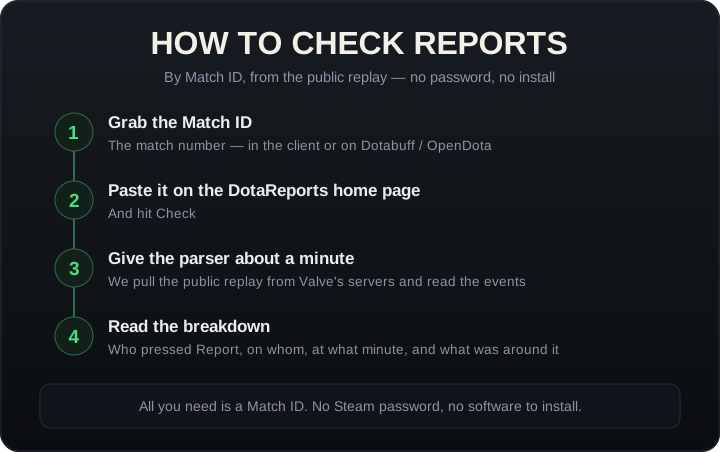
- Grab the Match ID. It's the match number. You'll find it in the Dota 2 client (match history), on Dotabuff, or on OpenDota, sitting right in the match page URL.
- Paste the ID on the DotaReports home page and hit Check.
- Wait for the parse. We pull the replay from Valve's servers and read the events. Usually under a minute.
- Read the result. Who pressed Report, on whom, at what minute, and what led up to it.
What the tracker shows
- Who pressed Report: the player's name, hero and side (ally or enemy).
- On whom: you, a griefing teammate, or someone on the enemy team.
- When: the exact minute and second of the match.
- Context: what happened right around it. A death under tower, a chat flame, a ping war, a thrown teamfight. This is the part that tells you why the report landed.
How to tell who reported you specifically
The breakdown lists every report in the match, but the ones you care about are where the target is you. Filter to yourself and see who pressed Report on you, ally or enemy, and at what minute. From there it usually reads itself: a teammate who said nothing all game then tapped it at the GG screen, or an enemy who tilted after you stomped his lane and wanted the last word. That's the answer to "who reported me" for that specific game. What's real versus the paid "deanon" scam is sorted out in who reported me in Dota 2.
Why it's safe and legal
To check one game you need its Match ID and nothing else. We never ask for your Steam password and we install zero software on your machine. Only the public replay gets analyzed, so a VAC ban for this is physically impossible, and you're not breaking a single Dota 2 rule. Reading an open file isn't cheating. Signing in with Steam is optional, and it only matters if you want to save your check history and watch your behavior score over time. The myths and the scam red flags are laid out in who reported me in Dota 2. Quick rule of thumb: anyone asking for your login, promising "official Valve report data", or telling you to install something is running a scam.
FAQ
Can Dotabuff show reports? No. That data lives only in the full replay, and stat trackers don't read it at the event level.
Does Valve see that I'm checking reports? No. We work with the public match replay, not your account or anyone else's.
How many reports until a penalty? Not every report counts. The weighting is in Dota 2 low priority.